DNMLinks Guide: How to Install Electrum Bitcoin Wallet
Learn how to install Electrum, a secure and lightweight Bitcoin wallet, on Windows, macOS, and Linux.
Introduction
Electrum is a lightweight Bitcoin wallet that is easy to set up and use. This guide will help you install Electrum on your preferred platform, whether you're using Windows, macOS, or Linux. Electrum is trusted by Bitcoin users for its speed, security, and privacy.
Step-by-Step Guide
Step 1: Download Electrum
First, visit the official Electrum website to download the wallet. Make sure to download the version that corresponds to your operating system (Windows, macOS, or Linux).
Step 2: Install on Your System
Step 3: Configure Electrum Wallet
When you first launch Electrum, you will be prompted to create or restore a wallet. Follow these steps:
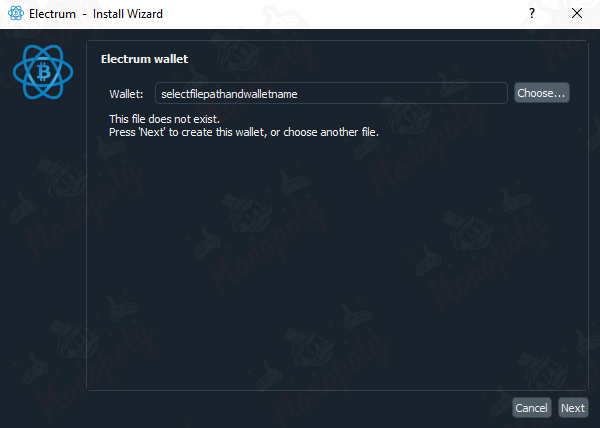
Electrum Seed Phrase
Step 4: Secure Your Wallet
It's important to secure your Electrum wallet by doing the following:
Additional Resources
Here are some helpful resources to help you get the most out of Electrum:
Table of Contents
Related Articles
DNMLinks Guide: How to Buy Bitcoin & Withdraw to Electrum Wallet
Learn how to buy Bitcoin in different regions of the world, and securely withdraw Bitcoin to your Electrum wallet.
Read ArticleDNMLinks Guide: How to Install Feather Wallet (Monero)
Learn how to install Feather Wallet, a privacy-focused Monero (XMR) wallet, on Windows, macOS, and Linux.
Read ArticleHow to Install Kleopatra and Create a PGP Key
Learn how to install Kleopatra and create a PGP key to enhance your security for encrypted communication.
Read ArticleSecurity Tips
Essential security practices to stay safe when browsing darknet markets.
View Tips